
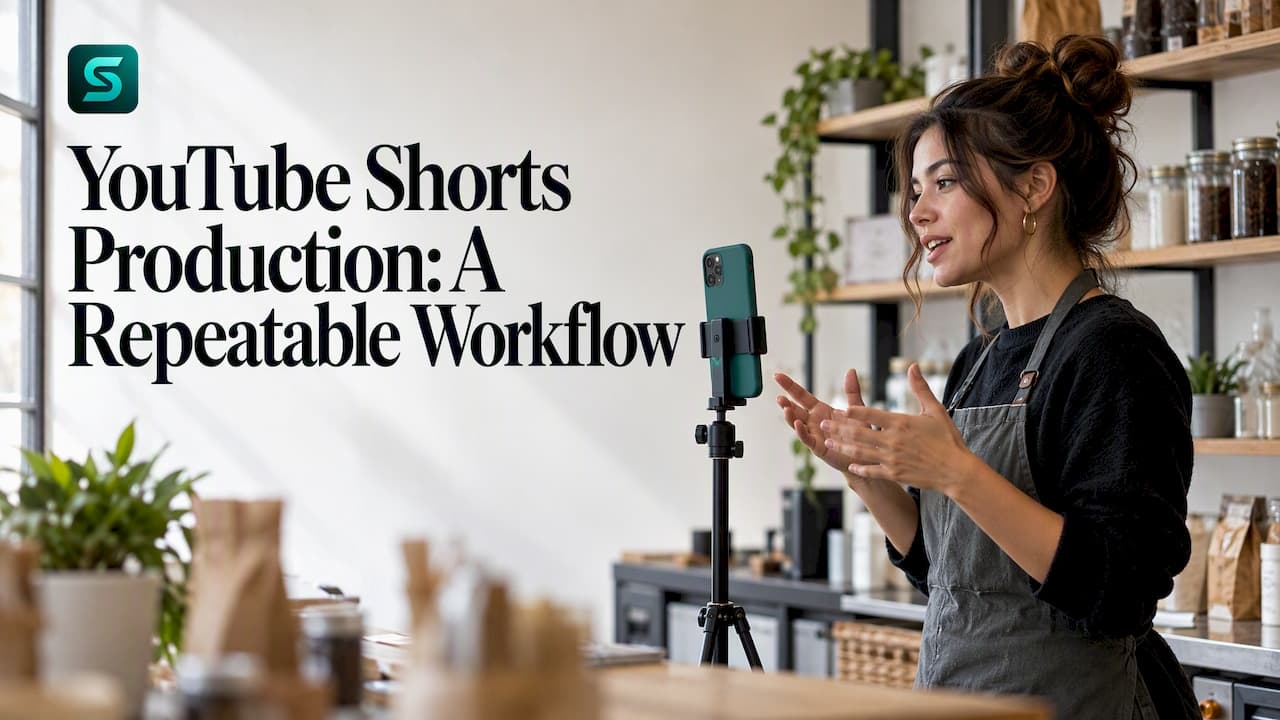
Good Shorts production comes down to one habit: stop making Shorts one at a time. Plan a batch of ideas, shoot them in one sitting, edit with a fixed checklist, check AI and copyright rules, then schedule everything so the channel posts on a rhythm without you babysitting it. This guide walks through each stage, including how AI can speed things up and what to do when a scheduled Short does not go live.
TL;DR
- Standard-channel Shorts can be square or vertical and up to three minutes long, but a Short over one minute with an active copyright claim is blocked worldwide.
- Batch your work: plan several ideas, record them in one setup, then edit and review together.
- AI can generate clips from prompts. Review every output, and use the "AI use" setting in YouTube Studio when content looks realistic but is synthetic or altered.
- Schedule from YouTube Studio via Create > Upload videos > Schedule, or use a scheduling tool that keeps you in control of approvals.
- Build a short checklist for when a scheduled Short fails to appear, so a missed slot costs minutes, not a week.
Table of Contents
- What you need to know before you shoot
- Plan Shorts in batches, not one at a time
- Film a week of Shorts in one session
- Edit for retention
- Make YouTube Shorts with AI
- Schedule YouTube Shorts
- Auto post YouTube Shorts without losing control
- Perspective
- Soclo for Shorts production
- When a scheduled Short does not publish
- A weekly Shorts routine that holds up
- FAQ
- Sources
What you need to know before you shoot
A Short is a vertical or square video you create in the YouTube app or upload from a phone or computer. YouTube now lets standard channels publish Shorts of up to three minutes, a change that applied to standard channels from October 15, 2024. That does not mean longer is better. For most business and creator channels, a tight 20 to 45 seconds still gives you fewer places for viewers to leave.
The rule worth memorizing is the copyright one. According to the same YouTube Help page, a Short longer than one minute with any active copyright claim is blocked globally. If you use licensed music or clips, keep that Short under a minute or confirm the rights are clean before you upload.
To create inside the app, YouTube Help describes the path as Create > Short: record or upload, add details, then choose Upload Short or save a draft. You can also upload vertical videos saved on a computer or phone, which is what most production workflows do, because editing on a laptop is faster than editing in-app.

Specs to check every time
Keep a one-line spec at the top of your production sheet so nobody has to guess:
- Orientation: vertical 9:16 (1080 by 1920) is the safe default, and square is also accepted.
- Length: decide the target before filming, and stay under one minute if any licensed audio is involved.
- Safe zone: keep faces and on-screen text away from the very top and bottom edges, where the interface covers the picture.
- Audio: record clean speech first and add music second. Viewers forgive rough visuals before they forgive muddy sound.
Plan Shorts in batches, not one at a time
The biggest efficiency gain in Shorts production is batching. A Japanese production guide from solezore describes a five-step batch workflow: planning, preparation, filming, editing and final review. Its point is that grouping ideas and recording them in one setup cuts the time lost to setting up and tearing down lights, backgrounds and audio.

A video production agency, Moonb, makes a related point about repeatability: a process only repeats when the team can clearly describe the next three videos before starting the first. That is a good test for a solo creator too. If you cannot describe your next three Shorts in a sentence each, you are not ready to film.
A simple planning sheet
One row per Short, with these columns:
| Field | What to write | Example |
|---|---|---|
| Hook | The first line or visual, in under 3 seconds | "Three mistakes that make your product photos look cheap" |
| Point | The single idea the viewer keeps | Natural light beats a cheap ring light |
| Proof | What you show on screen | Side-by-side photos |
| Call to action | One action only | Follow, comment, or visit a link |
| Length | Target seconds | 30 |
| Publish slot | Day and time | Tuesday, 9:00 a.m. |
This sheet is the handoff between scripting, filming and editing. If someone else edits for you, they can work from the sheet alone.
If you also run ads or longer videos, the same discipline carries over. Our guides on a 30 second video ad script template and storyboard fields crews need before shoot day use the same logic: decide the shot list before the camera is on.
Film a week of Shorts in one session
Once the sheet is full, film in a fixed order:
- Set up once. Fix camera position, light and microphone. Do not touch them between takes.
- Shoot all hooks first. The hook decides whether the Short works, so give it more takes than the middle.
- Shoot the bodies. Keep the same framing within a batch so edits cut together cleanly.
- Capture b-roll. Ten to fifteen seconds of cutaways per Short covers a lot of editing problems.
- Change outfits or backgrounds only if you need visual variety. Otherwise keep the same look and finish faster.
Say the slate out loud at the start of each take (for example, "Short four, take two"). It saves a lot of scrubbing later.
Edit for retention
Editing a Short is mostly about removing things: pauses, repeated phrases, slow intros and anything that does not serve the one point. A few habits help:
- Cut the first half-second of dead air on every clip.
- Change the visual every two to four seconds, with a zoom, a cutaway or an on-screen word.
- Put captions on speech. Many people watch with sound off.
- End on the payoff, not on a goodbye.
The same principles apply to footage from live occasions. Turning a day of footage into a fast cut is a skill of its own, and a look at how event highlight video editing is handled shows how tight turnaround and a clear shot list keep clips usable.
Keep your editing choices consistent across a batch. Deciding fonts, caption style and transitions once, then reusing them, stops reformatting from becoming a bottleneck. If a colleague or client reviews your cut, ask for feedback tied to specific timestamps. Moonb advises that precise, timestamped comments keep approvals moving.
For a broader plan covering topics, cadence and measurement, see our YouTube Shorts strategy for 2026.
Make YouTube Shorts with AI
AI can help at three points: ideas, footage and finishing. You can use plain-English prompts to draft hooks, outline a script, generate b-roll, or build a full clip from text. Our guide to text-to-video AI for small teams covers a shot-by-shot method that keeps generated clips consistent.
YouTube has its own tools, too. Its Shorts AI features generate images or videos from prompts, and YouTube Help tells creators to review AI-generated content carefully before publishing. The creator is responsible for making sure everything follows the Community Guidelines, and the tools may block prompts that violate policy or touch sensitive topics.
Disclose AI content correctly
YouTube asks creators to disclose realistic content that is AI-generated or meaningfully altered, using the "AI use" setting in YouTube Studio during upload. YouTube also applies disclosure automatically in some cases: content made with its own generative AI tools, content with C2PA metadata, or content its systems detect as AI-generated. Do not rely on that last category. Answer the question yourself at upload and keep a note in your production sheet of which Shorts used synthetic faces, voices or scenes.
For how this works across other platforms and in scheduled posts, see our guide on social media prompts, scheduling and AI disclosure. To keep generated copy sounding like your business rather than a template, read how to teach AI your brand voice.
A review checklist before anything goes live
- Do the facts, names and claims in the script check out?
- Does any person, place or event look real but is generated? If so, is it disclosed?
- Is any music or footage licensed, and does the Short stay under one minute if a claim is possible?
- Would the Short pass the Community Guidelines if a stranger reported it?
- Does it look and sound like your channel?
Schedule YouTube Shorts
Scheduling is how a batch becomes a steady channel. YouTube Help explains that scheduled publishing lets you set a private video to go public at a specific time. The steps in YouTube Studio are:
- Sign in and select Create > Upload videos.
- Choose the file and enter its title, description and other details.
- Select the Schedule card.
- Set the date, time and time zone.
- Select Schedule.
Check the time zone carefully. If you work across regions, a slot that is 9:00 a.m. in New York is not 9:00 a.m. for a viewer in London, so choose the zone of your main audience, then look at your analytics for when those viewers are active.
Picking a cadence
Pick a number you can sustain for three months, not the number that sounds impressive. Three Shorts a week from one batch session is better than daily posting that collapses in week two. A batch of six to nine Shorts filmed in a single session covers two to three weeks at that pace.
Auto post YouTube Shorts without losing control
Auto-posting means a tool publishes on your behalf at the slot you set. Before you connect anything, sort out access. YouTube's channel permissions let multiple users manage uploads and scheduling without sharing account credentials, though invited users cannot access YouTube APIs. The Manager role can create, upload, publish and delete content, while the Editor role cannot delete published content. For a freelancer or editor, Editor is the safer starting point.
The second decision is approval. Fully hands-off posting is tempting, but an AI-assisted Short that nobody reviewed is exactly how a wrong claim or an undisclosed synthetic scene reaches the public. Build in a review step before the schedule is locked. Our guide on safely automating social posting with human review lays out how small teams do this without slowing down.
Perspective
Most small businesses do not fail at Shorts because of bad ideas. They fail because production is a pile of separate jobs: writing, generating, editing, scheduling, checking the numbers. Every handoff is a place where the habit breaks.
That is why we built Soclo around a single plain-English command. You describe the video or campaign you want, and the platform produces content aligned with your voice and brand, so a spontaneous idea becomes a structured plan rather than a note you never open again.
We also believe automation should never mean losing control. Autopilot handles scheduling and posting to keep you consistent, while approvals and spending stay with you. And because Soclo uses multiple AI models behind the scenes, you do not have to decide which engine or tool suits each job.
For a creator or a small team, that means the batch workflow in this article can live in one place instead of five apps.
simeon
Soclo for Shorts production
If you want the planning, generation and scheduling steps in one app, Soclo's AI content and advert studio turns a plain-English prompt into videos, posts and campaign material, and Soclo Autopilot manages scheduling and posting. Check the Autopilot page for the channels currently supported. For motion-heavy clips, the AI motion graphics and cinematic video maker is the place to start.

There is a Free plan at £0 per month. Paid plans are Starter at £7.99 per month (or £79.99 per year), Pro at £19.99 per month (£199.99 per year), Business at £49.99 per month (£479.99 per year) and Autonomy at £99.99 per month (£959.99 per year). Credits for advanced features such as voice and music generation start from £1.99 one-off. See the full details on the pricing page.
When a scheduled Short does not publish
A missed slot is rarely mysterious. Work through these checks in order:
- Open YouTube Studio and check the video's status. A Short still showing as scheduled has not failed; it is waiting for its time. Confirm the date, time and time zone you set.
- Check visibility. Scheduled publishing works by taking a private video public, so a video that was changed to another setting after scheduling may not behave as you expect. Reopen the video and confirm the schedule is still set.
- Look for copyright or policy flags. A Short over one minute with an active copyright claim is blocked worldwide, so trim it under a minute or replace the audio.
- Check the AI disclosure step. Make sure the upload details were completed, including the "AI use" answer where it applies.
- Check permissions. If a teammate or tool scheduled it, confirm their role still allows publishing. An Editor can upload but cannot delete published content, so decide who has authority to fix a mistake.
- Reschedule or publish manually. If the slot has passed and the Short is still unpublished, set a new time rather than waiting. For anything unexplained, use YouTube Help or the Studio support options.
Keep a simple log of what was scheduled and when. It makes any gap obvious on Monday morning instead of the following Friday.
A weekly Shorts routine that holds up
Here is a routine a solo creator or a two-person team can sustain:
| Day | Task | Time |
|---|---|---|
| Monday | Fill the planning sheet with 6 ideas | 45 minutes |
| Tuesday | Film all six in one session | 2 hours |
| Wednesday | Edit and caption the batch | 2 to 3 hours |
| Thursday | Review, disclosure check, thumbnails and titles | 45 minutes |
| Friday | Schedule the batch, log the slots | 30 minutes |
| Following week | Review analytics, adjust the next sheet | 30 minutes |
These times are a starting estimate, not a benchmark. Your own numbers will settle after two or three cycles. The point is that production happens on set days and publishing happens automatically, which protects your energy for ideas and replies.
If you also publish to other short-form feeds, reuse the same sheet. Our Instagram Reels workflow shows the same idea-to-scheduled-post path, and our overview of video marketing trends helps you decide where the next batch should focus.
FAQ
How long can a YouTube Short be?
On standard channels, Shorts can be square or vertical and up to three minutes long, a change that applied from October 15, 2024. If a Short is over one minute and has an active copyright claim, it is blocked globally. Keep music-heavy Shorts under a minute.
Can I schedule a YouTube Short in advance?
Yes. In YouTube Studio, select Create > Upload videos, choose your file, add the details, pick the Schedule card, set the date, time and time zone, and select Schedule. The video stays private until the time you chose, then goes public.
Do I have to disclose AI in my Shorts?
You need to disclose realistic content that is AI-generated or meaningfully altered, using the "AI use" setting during upload. YouTube also labels content automatically if you used its generative AI tools, if it has C2PA metadata, or if its systems detect AI generation. Answer the question yourself rather than relying on detection.
Can someone else post my Shorts for me?
Yes, through channel permissions, without sharing your login. The Manager role can create, upload, publish and delete content, and the Editor role cannot delete published content. Give a freelancer the lowest role that lets them do the job.
Sources
- Understand three-minute YouTube Shorts, YouTube Help
- Get started creating YouTube Shorts, YouTube Help
- Create content for Shorts using AI-generated features, YouTube Help
- Disclosing use of GenAI content, YouTube Help
- Schedule video publish time, YouTube Help
- Add or remove access to your YouTube channel with channel permissions, YouTube Help
- YouTubeショートの作り方完全攻略, solezore
- A Guide to Video Production for YouTube Marketing Teams, Moonb
- Event highlight video editing, LemonLens