
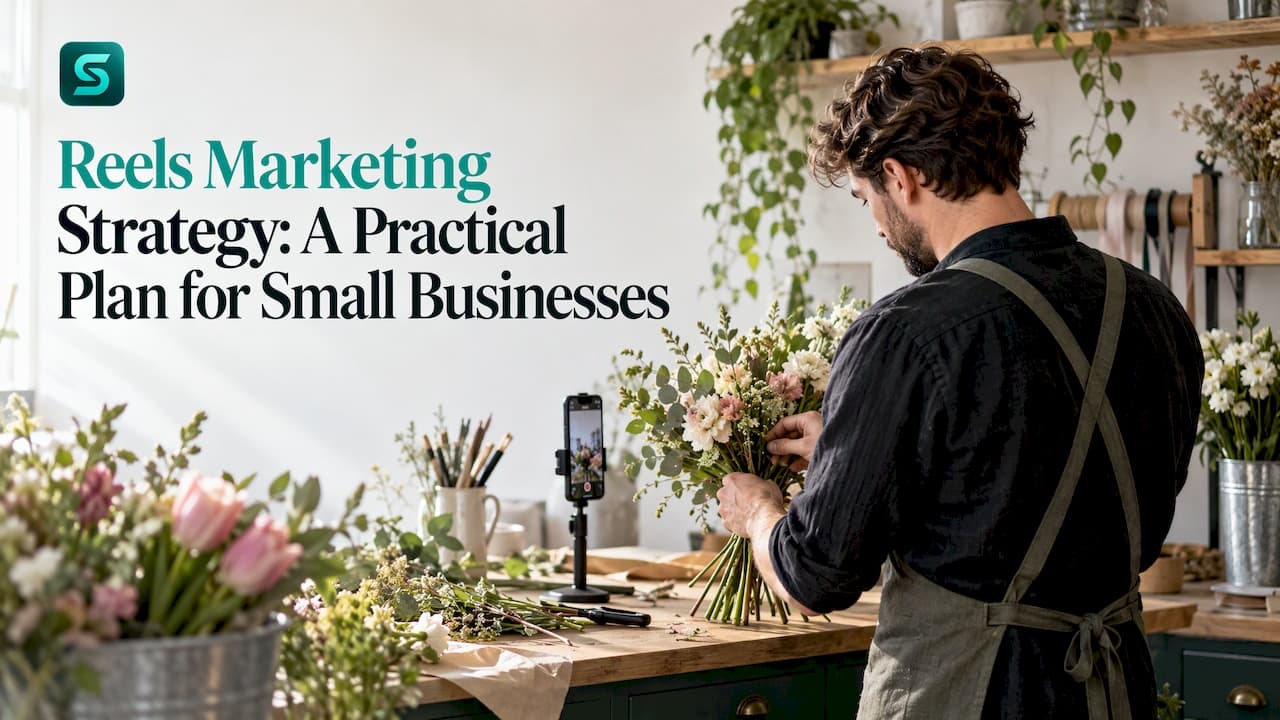
A good Reels marketing strategy comes down to five decisions: what each Reel is for, which content mix you rotate, how you batch the work so you can keep going, how you open and close each video, and which numbers you check to decide what to make next. Get those right and you can post consistently in a few hours a week, without chasing trends.
This guide is written for small business owners, creators and freelancers who run their own Instagram account. It covers the plan, a workable weekly rhythm, content ideas, hook and call-to-action habits, and measurement.
TL;DR
- Give every Reel one job: reach new people, build trust, or sell. A simple 4-3-2 mix of engagement, culture and sell Reels keeps the feed balanced.
- Batch your work. Film several Reels in one session, then schedule them across the week instead of improvising daily.
- Open on the value or the visual hook right away, and end with one clear action: save, share, comment or tag.
- Track reach, watch time, saves and shares, but also DMs, link taps and bookings. Views alone do not pay the bills.
- After a month you will have your own audience data. Double down on what worked and test one new thing each month.
Table of Contents
- Start with the job each Reel has to do
- A content mix that does not run out of ideas
- Reels content ideas that come from your customers
- A weekly workflow that survives a busy month
- Make each Reel work harder: hooks, format and calls to action
- Perspective: why we think the workflow matters more than the idea
- Measure what the business needs, not only what Instagram shows
- Adapt over time without starting over
- Put the plan on rails with Soclo
- FAQ
- Sources
Start with the job each Reel has to do
Most weak Reels strategies fail because every video tries to do everything. A Reel is short. It earns attention, and sometimes a profile visit. Your profile, bio, Highlights and link then do the converting. That framing, from a practical playbook for small business Reels, keeps expectations realistic: the Reel is the door, not the whole shop.
Before you film anything, write down three things:
- Objective. Reach new people, grow trust with followers, or drive an enquiry or sale.
- Audience. One specific type of customer, described by the problem they have, not by age bracket.
- Action. What you want them to do after watching: follow, save, send a DM, tap a link, book.
A creator brief used with influencers works just as well as a personal checklist. A Reels strategy guide for brands lists the elements as objective, audience, key message, proof, deliverables, call to action, usage rights, whitelisting and exclusivity. If you work alone, the first six are the ones to keep.
Check your account type first
Business accounts get contact buttons, shop tagging and ad tools, while Creator accounts have a fuller music library and fewer business buttons, according to the same small business Reels playbook. If your goal is bookings or sales, the business tools usually matter more than the extra audio options. If you are a personal brand relying on trending audio, weigh that trade-off.
A content mix that does not run out of ideas
One framework worth borrowing is the 4-3-2 rule, described by Social Media Examiner: four Engagement Shots, three Culture Shots and two Sell Shots. Think of it as a cycle of nine Reels rather than a rigid weekly quota.
| Type | Purpose | Example for a local business |
|---|---|---|
| Engagement Shot | Earn shares, saves and comments | Three mistakes people make when choosing your type of service |
| Culture Shot | Show the people and values behind the brand | A behind-the-scenes morning in your workshop or studio |
| Sell Shot | Present the offer and ask for the action | A product in use, solving a problem, with the price shown as text |
The engagement type is the one that earns the audience you can later sell to. The Social Media Examiner piece notes that its aim is to attract shares, saves and comments so you can later retarget the people who engaged.
Reels content ideas that come from your customers
The best idea source is not a trend list. It is your own inbox. Ideas can come from questions your audience asks repeatedly, from your past posts that were saved or shared, and from the suggestions Instagram shows when you search a topic, as one complete guide for creators and brands points out.
Turn those inputs into repeatable formats:
- Answer one question in under 30 seconds. Use the exact words customers use in DMs.
- Product in use. Show the product solving a problem and put the price on screen as text so people can decide faster, as the small business playbook suggests.
- Process. Show how something is made, fixed, prepared or installed.
- Before and after. Works for almost any service with a visible result.
- Myth versus fact. Pick one belief in your industry and correct it.
- Customer story. One problem, what you did, the outcome, with permission.
- Save-worthy list. Checklists, tools, prices to expect, questions to ask a provider.
Keep a running note of every question you answer in a week. Ten questions is ten Reels.
If you also use short video elsewhere, the same ideas carry over. Our YouTube Shorts strategy covers how to adapt them. For a clear view of how Reels differ from feed posts and Stories, see what posts, Stories and Reels are each for.
A weekly workflow that survives a busy month
The plan that works is the one you can sustain. The U.S. Small Business Administration recommends using a calendar to batch-compose and schedule updates for the next seven days, keeping a short daily block for replies and reviewing analytics weekly, and says this can take roughly 2 to 3 hours a week, depending on resources and goals. It also points out that a calendar reduces forgotten posts and aimless time on social media, and that batching protects your concentration.
Batch the filming
Film several Reels in a single session, edit them together and schedule them across the week, an approach laid out in this guide for creators and brands. Some teams go further: one monthly workflow maps themes first, records multiple clips in one setup, edits with tight cuts and native captions, then schedules everything in one sitting.
A fortnightly version could look like this:
- Theme map (15 minutes). Pick two content pillars and list questions to answer.
- Hooks and captions (20 minutes). Write ten of each. A consistency guide suggests this block, plus a 30-minute shoot for around 40 clips.
- Edit and schedule (one sitting). Trim, add captions, and queue the posts.
- Daily engagement (10 to 15 minutes). Reply to comments and DMs while they are fresh.
A team can split it by day: planning on Monday, visual assets on Tuesday, scheduling on Wednesday, and engagement from Thursday through Sunday, a rhythm seen in a small business content calendar.
Pick a rhythm you can keep
Blogs on this topic agree on one point: consistency beats intensity. A steady rhythm, such as the same time each day, can train your audience better than chasing a theoretically perfect posting time, according to the consistency guide. Another writer makes the same case with an example: four posts a week for six months beats twelve posts a week for three weeks and then silence, as one small business guide puts it.
For scheduling, Post Planner's scheduling guide recommends batch-creating, scheduling together, using Instagram Insights to see when followers are active, and rotating formats rather than repeating one type.
Keep the human parts human. Automate the repetitive tasks, but leave Stories, DMs, comment replies and time-sensitive content to a person, as that small business guide advises. Our piece on automating social posting with human review shows how to do that safely, and the Reels workflow from idea to scheduled post walks through the steps.

Make each Reel work harder: hooks, format and calls to action
Open with the value
Start with the value or the visual hook immediately, skip slow title cards, and choose topics that resonate with your audience beyond the product itself, per Amplitude Marketing's Reels guidance. Shopify's Reels guide calls the first three seconds crucial and recommends audio such as voice-over or trending sounds, as long as you have permission to use them.
For a hook formula, try one of these:
- A result: "This cut our no-shows in half." (Only if it is true for you.)
- A question your customer asks: "Why does my deck stain peel every year?"
- A visual that raises a question: a close-up of the problem before anything else.
One creator framework, the Reels Loop, uses a one-to-two-second hook, pacing and pattern interrupts for retention, consistent topics and clear captions for relevance, and quick replies and specific questions for engagement, as laid out in this growth guide. For studios and service businesses, this article on Instagram booking strategies is a good companion on openings, pacing and audience interaction, even though the tax detail in it is Australian.
Get the format right
Meta's creative guidance, republished by Adobe, lists 9:16 vertical video, audio, text placed within safe zones, entertaining storytelling and relatable creative as the essentials. The campaign analysis cited in that Adobe post reported 20% lower cost per click and 56% higher click-through rate for creative using that combination, versus comparison creative. Those are results from Meta's own analysis, so treat them as a direction, not a promise for your account.
Practical checklist:
- Shoot vertically at 9:16.
- Keep captions and key text away from the screen edges where interface elements sit.
- Add on-screen text so the Reel works with the sound off.
- Write the caption to support the video. Our guide on writing a caption that works has a simple structure.
Ask for one action
Good calls to action are specific and low effort: ask viewers to save, comment, tag someone or share, as Amplitude recommends. Match the ask to the Reel's job. An engagement Reel asks for a save or a tag. A sell Reel asks for a DM, a link tap or a booking. Do not stack three asks in one video.
Perspective: why we think the workflow matters more than the idea
We build Soclo for people who have a business to run, not a content department. Our view is that most small businesses do not fail at Reels because of a lack of ideas. They fail because the work between the idea and the published post is long, and it falls apart in a busy week.
That is why we designed Soclo around plain-English prompts. You describe the Reel, the ad or the post in your own words, and the platform drafts it to match your voice and brand. Spontaneous ideas become structured campaigns, and Autopilot handles scheduling and posting so the rhythm holds when you are with customers.
We also think control matters. You approve what goes out and you set the spending. Because Soclo uses multiple AI models, you never have to decide which engine to use for which job. The strategy in this article is the thinking. Our job is to make the doing take less of your week.
simeon
Measure what the business needs, not only what Instagram shows
A useful scorecard has two halves: how healthy the creative is, and what it did for the business. A Reels reporting framework pairs hook strength, retention, shares, saves and sentiment with clicks, leads, purchases and revenue.
| Question | Metric to watch |
|---|---|
| Did the Reel reach new people? | Reach and plays, reach among non-followers |
| Did people stay? | Average watch time, completion rate |
| Did people care? | Saves, shares, comments, follower growth |
| Did it move the business? | Product, website and link-sticker taps, DM starts, bookings, purchases |
The first four rows echo guidance from Network Solutions and Media Strategy Lab, which add save and share rates and DM, link or booking volume. If the terms reach and impressions blur together, our explainer on reach, impressions and engagement clears it up.
A Reel with modest reach but comments full of buying intent can be worth more than a high-view post built on generic entertainment, as one brand marketing guide notes. The reverse risk is real too: optimizing only for reach, saves and shares without checking DMs, links or bookings can leave an account big but broke, a point made by Media Strategy Lab.
When you want to tie Reels to website visits and leads, a guide to tools for tracking traffic performance covers GA4 and alternatives. Our own piece on which social posts drive sales shows how to read results against revenue.
A weekly review in 20 minutes
- Sort last week's Reels by DMs, link taps and bookings, not views.
- Note the top two and bottom two. What did the top two share: topic, hook, length, format?
- Plan the next batch around the pattern.
- Change one variable only, such as the hook style.
After a month you will hold real data from your own audience, which is worth more than any general rule, as the creators and brands guide says.
Adapt over time without starting over
Do not rebuild the strategy every quarter. Identify your top-performing pillars and formats, double down on them, and test one new thing each month, an approach described in this small business content calendar.
Ways to get more from a Reel that worked:
- Make a follow-up that answers the top comment.
- Turn a strong hook into a series with a numbered title.
- Reuse the script as a caption, a carousel or a short vertical video on another platform.
- Turn a best-selling Sell Shot into a paid ad, then check how the spend performs against bookings.
If you work with creators, the same lessons feed a brief. Our guide to UGC-style ads and a creator brief shows how to structure one, and the social growth strategy for small businesses places Reels inside a wider plan.
Put the plan on rails with Soclo
Soclo is an AI platform for small businesses and creators. You type what you want in plain English and get ads, videos and social posts that follow your voice and brand. Autopilot handles scheduling and posting, and you stay in control of approvals and spending. The AI content and advert studio covers the creation side, and social media management covers channels and the calendar.

Plans on the pricing page start with a Free plan at £0 per month. Paid plans are Starter at £7.99 per month (or £79.99 per year), Pro at £19.99 per month (£199.99 per year), Business at £49.99 per month (£479.99 per year) and Autonomy at £99.99 per month (£959.99 per year). Credits for advanced features such as voice and music start from £1.99, one-off. Start at soclo.app.
FAQ
How often should a small business post Reels?
Pick the number you can sustain for months. One small business guide argues that four posts a week for six months beats a short burst of twelve a week followed by silence. Start lower than you think, batch the filming, and raise the number only when the workflow feels easy.
How long does it take to manage Reels each week?
The U.S. Small Business Administration says that batching and scheduling updates for the next seven days, with a short daily block for replies and a weekly analytics review, can take roughly 2 to 3 hours a week, depending on your resources and goals. Filming several Reels in one session is what keeps it near that range.
What should I measure first?
Start with reach, average watch time, saves and shares to judge the creative. Then add product or link taps, DM starts and bookings to judge the business result. If the first set is strong and the second is flat, change your call to action and your profile, not just your hooks.
What are good Reels content ideas for a small business?
Use the questions customers ask you repeatedly, then film short answers. Add product-in-use Reels with the price shown as text, behind-the-scenes clips, before-and-afters and customer stories. A 4-3-2 mix of engagement, culture and sell Reels keeps the variety balanced.
Sources
- Instagram Reels Strategy: How to Connect, Engage, and Sell (Social Media Examiner)
- Instagram Reels for Small Businesses: A Practical Playbook
- Instagram Reels marketing strategy: Grow faster
- Instagram Reels: The Complete Guide for Creators and Brands
- Setting Up a Social Media Calendar for Your Small Business (U.S. Small Business Administration)
- A 2-hour monthly social workflow (Ingeniom)
- How to post reels consistently without burning out
- Social Media Content Calendar for Small Biz
- How to Post on Instagram for Small Business
- How to Schedule Instagram Reels (Post Planner)
- Instagram Reels for business best practices (Amplitude Marketing)
- How To Use Instagram Reels For Growth and Engagement (Shopify)
- Unlock the potential of Reels (Adobe)
- The Instagram Growth Guide
- Instagram Reels for Business: The Small-Business Guide (Network Solutions)
- How to Grow on Instagram with a Reels-First approach (Media Strategy Lab)
- Your Instagram Reels Marketing Strategy (Join Brands)
- Instagram booking strategies for studios (Revively)
- Best Tools for Tracking Traffic Performance: GA4 and More